
How to Shoot Slow Motion Video
A better shot starts before record.
Practical answers on frame rates, high-speed cameras, lighting and the workflow behind a successful slow-motion shoot.
SLOW MOTION VIDEO GUIDE
A practical guide to high-speed cameras, frame rates, flicker-safe lighting and the on-set decisions that make slow motion work.
Search a keyword below or browse every question by topic.
Type a word or phrase to filter the questions and answers below.
Slow motion basics · Phantom Flex 4K and workflow · Lighting and flicker · Planning a shoot
Related services: High-Speed Camera Rental · Food Video Production · Manufacturing Video Production · Commercial Video Production
BROWSE ALL QUESTIONS
Slow motion questions, answered.
Slow motion basics
The core ideas behind real slow motion and why it is useful.
How to make a slow motion video?
To create genuine slow motion, record the action at a frame rate higher than the final playback rate. For example, footage captured at 100fps and played at 25fps becomes 4× slow motion. Footage captured at 1,000fps and played at 25fps becomes 40× slow motion.
For modest slow motion, many modern cameras are suitable. For super slow motion involving hundreds or thousands of frames per second, a dedicated high-speed camera gives you real recorded frames rather than frames generated later by software. T-Eight can provide the camera, operator and technical planning through our high-speed camera rental service.
What exactly is slow motion?
Slow motion is created when footage is captured at a higher frame rate than the rate used to play it back. The capture-to-playback ratio determines how much the action is slowed.
There is no single universal frame-rate boundary between “slow motion” and “super slow motion”. In practical production terms, standard overcranking may involve rates such as 50fps, 100fps or 200fps, while specialist high-speed work often uses several hundred to several thousand frames per second.
What’s the difference between Slow Motion and Super Slow Motion?
The distinction between super slow motion and slow motion lies in the frame rates. Super slow motion involves shooting above 500fps.
The human eye can only see a difference in frame rates when it is doubled. Thus consider doubling your frame rates, such as from 50 to 100fps, 100fps to 200fps, 200fps to 400fps, 400fps to 800fps and so forth. In-between frame rates have little effect on visual impression.
What is the difference between 25fps and 1,000fps?
In PAL countries, 25fps is the standard frame rate used for most videos, and 24fps in NTSC countries. It shows motion the way we normally see it: natural, real-time movement. Shooting at 25fps, fast actions happen quickly and are often gone before you can really notice the details.
This is when we need to use a higher frame rate—i.e. 800 or 1,000fps—using a dedicated high-speed camera.
A high-speed camera captures 1,000 frames every second, allowing us to slow the footage down dramatically in post-production. When played back at 25fps, this creates up to 40× slow motion, revealing fine details the human eye can’t see in real time.
This is especially useful for food, product, nature, sports and technical shoots, where timing, texture, impact or movement happens too fast for us to take notice.
What are the advantages of shooting in slow motion?
Slow motion enhances the visual impact of a scene, allowing viewers to delve into the unique features and subtleties of the subject being recorded. Even an ordinary object, like a tomato, can be transformed into something extraordinary when viewed in slow motion.
Why is slow motion used in films?
Slow motion is a filmmaking technique to keep audiences engaged in the storytelling. Slow motion shots serve the purpose of highlighting intricate details and directing the audience’s attention to certain elements in the shot the director wants to convey.
Just like how icing enhances a cake’s flavour, slow motion should be used selectively to ensure it maintains its allure and enchantment for the audience. Too much of it can have the reverse effect.
How does a high-speed camera work?
A high-speed camera records many more frames each second than a conventional production camera. The footage is then played back at a normal delivery rate such as 25fps.
At 1,000fps capture and 25fps playback, the camera records 40 times as many frames, producing 40× slow motion. Those additional real frames reveal changes in texture, impact, fluid movement and mechanical behaviour that would otherwise pass too quickly to see.
Why does slow motion make such a big difference?
Slow motion turns an ordinary product into something extraordinary.
You can be selling the simplest object, but when time slows down, details appear that people have never seen before. Texture, movement, behaviour. It reframes how the product is perceived and remembered.
What this really means is you’re not changing the product. You’re changing how the audience experiences it.
How do you decide if a shot should be in slow motion?
The first thing I look at is speed.
My rule of thumb: if the action happens within a second, it’s a good candidate. If it doesn’t happen in the snap of a finger, it’s usually not fast enough.
Slow motion works best when it reveals something the human eye cannot register in real time.
Can slow motion be created later in editing?
Yes and no.
Slow motion can be simulated in editing using software, but the result is not the same as filming with a dedicated high-speed camera.
Software has to create extra frames between the original frames. This can work for some simple shots, but it can also create artefacts, warping or unnatural movement, especially when there is fast action, splashes, smoke, hair, fabric, particles or complex motion.
When the same moment is captured properly with a high-speed camera, the movement feels more organic, natural and lifelike.
You are seeing real frames that were actually recorded, not frames created later by software.
Phantom Flex 4K and high-speed workflow
Camera, recording, lenses, playback and post-production workflow.
Why use the Phantom Flex 4K?
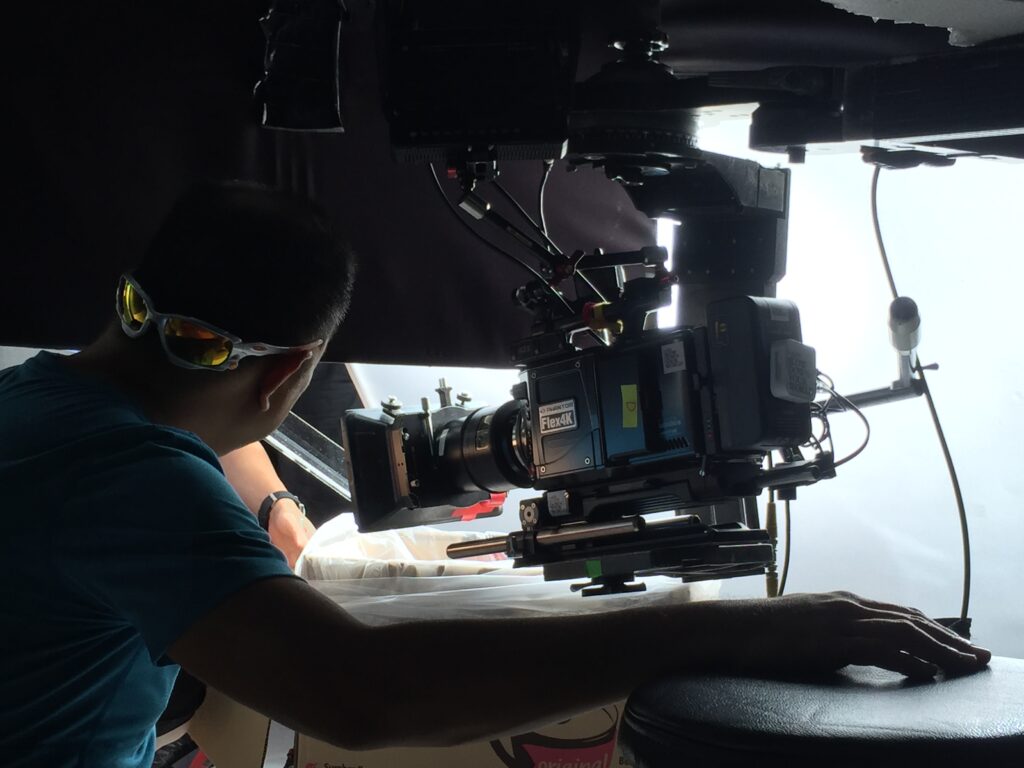
The Phantom Flex 4K was designed by Vision Research for high-speed digital cinematography. It combines a Super 35-sized sensor, 4K recording at up to 1,000fps, on-camera controls and the established Phantom CineMag workflow.
It remains a strong choice when a production needs high frame rates, detailed 4K images, flexible lensing and an on-set workflow built around recording, reviewing and saving short high-speed takes.
What’s the rental cost for the Flex 4K high-speed camera?
T-Eight offers hourly rentals with a three-hour minimum and daily rental options for the Phantom Flex 4K, normally with Phantom technical support. The final quote depends on the camera package, operator, assistant, lenses, lighting, media, playback and shoot duration.
See our High-Speed Camera Rental Singapore page or contact us with the action, frame rate, shoot date and intended delivery.
What’s the dynamic range of Flex 4K?
The original Phantom Flex 4K uses rolling-shutter operation for its highest dynamic range and overall image quality. Actual usable range depends on exposure, lighting, ISO choice, colour workflow and the scene being filmed.
The camera can also record at standard frame rates, but when high-speed capture is not required, a conventional cinema camera may offer a simpler and more storage-efficient workflow.
What’s the highest frame rate on Flex 4K?
The Phantom Flex 4K records up to 1,000fps at 4096×2160, approximately 1,975fps at 2048×1080 and approximately 2,930fps at 1280×720. The exact maximum depends on the selected resolution and camera configuration.
Choosing the highest available frame rate is not always the right choice. Resolution, light level, shutter angle, motion blur and the speed of the action all need to be balanced around the final shot.
Our high-speed camera team helps determine the most useful frame rate and resolution before filming.
How do you operate and trigger the Phantom Flex 4K on set?
The Phantom Flex 4K can be controlled through Vision Research’s Phantom Camera Control software over Ethernet, through the camera’s onboard controls, or through a compatible remote-control setup.
On set, the Phantom technician normally manages resolution, frame rate, exposure, trigger position, RAM recording, playback and saving to CineMag. This allows the cinematographer and director to concentrate on composition, lighting, performance and the action being captured.
How do you download a CineMag?
A Phantom CineMag can be downloaded through a compatible CineStation using Phantom Camera Control software. CineStation IV supports 1Gb and 10Gb Ethernet connections.
Because Phantom Cine files can be large, the receiving computer and storage should be fast enough to sustain the chosen workflow. We plan storage, backup and file handover before the shoot so the camera and data workflow do not become a bottleneck.
How can I view and edit .cine files?
Phantom .cine files can be reviewed and processed with Vision Research software, then exported or brought into a compatible post-production workflow. Native support varies by application version, operating system and installed components.
Before a production, confirm the exact NLE, colour and finishing workflow with post-production. We can provide a small test .cine file so the team can verify playback, debayering, export and storage before the shoot.
Can I transform a super slow-motion video into regular video?
Yes, provided the clip has been recorded and interpreted correctly. A 1,000fps clip played at 25fps is 40× slow motion. To return a clip that has been conformed to 25fps back to real-time speed, it must be accelerated by 40×, which is usually shown as 4,000% speed in editing software.
The exact setting depends on whether the NLE is reading the original capture rate, interpreting the clip at the timeline rate or using a pre-rendered slow-motion file. Keep the original metadata and test the workflow before final delivery.
Can we use 2× anamorphic lenses on the Flex 4K?
Yes. The Phantom Flex 4K supports a 2752×2304 anamorphic recording format suitable for 2× anamorphic lenses, with a maximum frame rate of approximately 938fps in that format.
Lens coverage, mount, squeeze monitoring, close focus, exposure and the required final aspect ratio should all be checked during preparation.
What are the lens mount options available for your high-speed cameras?
T-Eight can configure the Phantom Flex 4K with PL or Nikon-mount options, depending on the lenses required for the production. PIXBOOM Spark mount availability is confirmed against the camera package and shoot date.
Tell us which lenses or lens family you intend to use. We will confirm mount compatibility, image-circle coverage, support requirements and any adapters before the shoot.
How is the recording and workflow on set with Flex 4K?
The Phantom Flex 4K records high-speed footage into the camera’s internal RAM. After the take, the selected portion is reviewed and saved to a CineMag. Save time depends on resolution, frame rate, take length, selected in and out points and media configuration.
This record, trigger, review and save cycle is different from continuous recording on a conventional cinema camera. A Phantom technician manages the cycle and coordinates with the assistant director, camera team and data team so the production can work efficiently.
Would the .cine files work on my NLE system?
Contact us, and we can send you a small downloadable .cine file to test your workflow before your shoot.
Lighting and flicker
The practical lighting decisions that protect slow-motion image quality.
Why do slow motion shoots need so much light?
At the same 180-degree shutter angle, moving from 25fps to 1,000fps shortens the exposure time from about 1/50 second to about 1/2,000 second. That is roughly 5⅓ stops less exposure.
High-output lighting is therefore often needed to maintain the desired aperture, image quality and depth of field. A narrower shutter angle for sharper droplets, particles or impacts requires even more light.
What type of lighting can I use to shoot slow-motion videos?
No lamp type should be assumed to be flicker-safe without testing it at the intended frame rate, shutter angle and dimming level. Fluorescent fixtures and some LED drivers are common risks, but any electronically controlled source can behave differently at high speed.
Use fixtures designed for high-speed work where possible. Test the exact units before filming, use their high-speed mode when provided, and avoid dimming settings that introduce modulation. Intensity can also be controlled with distance, diffusion, flags, nets or neutral-density material.
Large tungsten fixtures and HMIs with suitable high-speed ballasts can be useful, but they still need to be tested. We check the planned sources with a flicker meter and, where practical, with the camera before the final take.
How do you check if the lights are flickering?
Flicker is the bane of all slow motion cinematographers.
Before we shoot, we check whether the lights are flickering. If flicker is not caught on set, it can create unnecessary work in post-production and will affect the final image quality.
Our approach is simple: don’t fix it in post when you can fix it on set. Solving the problem early saves time for everyone later in the production process.
There are a few ways to check for flicker. Some apps can help, and some light meters include a flicker detection feature. On our shoots, we use the B&S Flicker Meter before filming. If we find that a light source is flickering, we either fix the issue or change the lighting fixture before we roll camera.
This is especially important when filming at high frame rates, where flicker that is invisible to the eye can become very obvious in the final slow motion footage.
Can we use HMIs to shoot slow motion?
Yes, you can. Just make sure you have a HS (High Speed) Ballast coming together with the lamp heads, and set your knob frequency dial on the ballast to 1000Hz.
Can flicker be removed in post-production?
Some flicker can be reduced with post-production tools, but removal is not always complete and may introduce artefacts or soften detail.
The safer approach is to identify the problem during preparation or on set, then change the fixture, ballast mode, dimming level, mains setup, frame rate or shutter setting before filming.
What lights are safe for slow motion filming?
In general, most undimmed (100%) LED lights work, and HMIs with HS ballast work. But this should be tested before the shoot.
If you need to reduce intensity, use ND filters or move the light further instead of using the LED dimmer controls.
What shutter angle should we use for slow motion?
A 180-degree shutter angle is a common starting point because it gives familiar motion blur and uses the available light efficiently.
For droplets, particles, impact or other fast fine detail, 90 degrees or 45 degrees can produce a sharper image. The trade-off is reduced exposure, so the decision must be made together with frame rate, lighting, aperture and the intended visual style.
Planning the shot
How T-Eight approaches food, products, creative intent, action control and client preparation.
What kind of shoots can slowmo be used for?
Food: Pours, steam, texture, crunch, flame and ingredient movement.
Commercials and products: Make product behaviour and campaign moments more memorable.
Feature films: Reveal impact, performance and story detail that benefits from altered time.
Nature and documentary: Show animal behaviour, natural movement and real-world processes that happen too quickly to study normally.
Sport and movement: Analyse technique, impact and body mechanics.
Manufacturing and testing: Examine vibration, breakage, dispensing, sealing, impact and machine behaviour.
Best FPS for shooting in super slow motion
For many commercial, food and product shots, 800fps to 1,000fps is a useful starting range. At 25fps playback, 1,000fps creates 40× slow motion.
The best frame rate still depends on the speed of the action, the amount of available light, the required resolution and how long the final movement should feel. Faster is not automatically better.
How do you shoot food videos?
We use dedicated high-speed cameras, high-output lighting that has been tested for flicker, and lenses chosen around the scale and texture of the food. The action may involve splashes, pours, steam, crumbs, oil, flame or a controlled product break.
The camera is only part of the process. Food styling, props, repeatable rigs, flow control, timing and resets are planned together so the action remains appetising and intentional. See our Food Video Production Singapore page for examples and production details.
Is slow motion easy to shoot?
No. That is one of the most common misconceptions.
At a 180-degree shutter angle, shooting at 1,000fps needs roughly five stops more light than shooting at 25fps. The action also has to be repeatable, the trigger timing has to be reliable and every reset must return the subject to the correct starting condition.
On complex food, product or effects setups, a reset can take far longer than the recorded event itself. Preparation protects the shoot from guesswork.
What frame rates do you usually shoot at?
For many commercial, food and product shots, we work between 800fps and 1,000fps because that range reveals substantial detail while retaining a natural sense of movement.
We use lower or higher rates when the action requires them. The decision is based on subject speed, playback rate, light, shutter angle, resolution and the intended duration of the finished shot.
What actually takes the most time on a slow motion shoot?
Fine tuning the action.
Lighting is critical, but shaping the movement is where time really goes. A good example is liquid flow. Too much volume and it feels like a tsunami. Too little and it loses impact. We often adjust flow rate, height or force multiple times until the motion feels intentional and controlled.
Why does slow motion cost more?
Because the work happens before the camera rolls.
We spend more time in preparation and experimentation so the shoot itself doesn’t turn into guesswork. That prep protects the client’s budget. It reduces wasted takes, unnecessary resets and creative disappointment later.
Slow motion isn’t expensive because it’s fancy. It’s expensive because it’s precise.
What sets your approach apart on set?
We understand the creative intent and translate it into technical decisions instantly. That removes trial and error. It keeps the shoot moving. Directors and DPs can focus on the idea, not the mechanics.
Good slow motion isn’t about speed.
It’s about control.
And yes, ultimately, we should have fun doing it. When the setup is right, slow motion becomes one of the most rewarding things to watch come alive.
What should clients prepare before a slow motion shoot?
The most useful thing you can prepare is visual references.
Share videos, images, mood boards or examples of slow motion shots you like. They don’t have to be exact. They help us understand the feeling, timing, texture and level of detail you want to achieve.
From there, we can work out the creative and technical approach. Slow motion is not just about pointing a high-speed camera at something. We need to think about lighting, movement, timing, background, props, product behaviour and what the viewer should notice.
You don’t need to have all the answers before the shoot. Show us the direction you like, and we’ll help solve the best way to capture it.
How can I engage your slow motion video production services?
Send us the action you need to capture, a reference if available, the intended use, shoot location and preferred date. We will help assess whether high-speed filming is appropriate and recommend the camera, frame rate, lighting and crew approach.
Start with our contact page or review the high-speed camera rental package.
READY TO PLAN THE SHOT?
Let’s make the fast moment visible.
Send us the action, reference, shoot date and where the footage will be used. We will help work out the frame rate, lighting and camera approach.
Tell us the action, your technical question and the result you need.
Send us your brief